
Project Status Tracking and Reporting Tool
  • Status Reporting
  • KPI Radar
  • Strategic Foresight
  • Pricing
  • Resources
    • Blog
    • Product release
    • White Paper
    • Help Center

Contact us

Try it free
Project Status Tracking and Reporting Tool
  • Status Reporting
  • KPI Radar
  • Strategic Foresight
  • Pricing
  • About us
  • Resources
    • Blog
    • Product Release
    • White Paper
    • Help Center
  • Join Radar Team
  • Contact us
  • Try it free

Help Center

Quick Start

4
  • Radar overview
  • How to create a workspace?
  • How to set a workspace name?
  • What access levels / user roles are there?

Account Settings

4
  • How can I change the email address associated with my account?
  • How to reset my password?
  • How can I manage email notifications?
  • How can I delete my account?

Billing and Subscriptions

5
  • Where can I find information about the end date of my subscription?
  • How can I find out if I have reached my project limit in my workspace?
  • How can I know if my subscription has expired?
  • Where can I find information about my payments?
  • What payment options are available?

Fields and Configuration

4
  • What is a field? 
  • How to create a field
  • Field actions
  • Templates

Projects

8
  • How can I filter project data?
  • How to manage project-level permissions?
  • How to export the project list and project data?
  • How to add a project manually?
  • Everything on project connections
  • How to add a project by importing data from Excel?
  • How to add a project by importing data from Jira?
  • How to edit a project?

Views

5
  • What views are available?
  • How to create a view
  • How to share a view
  • How to copy a view?
  • How to delete a view?

Customization

3
  • Can I customize the Radar view?
  • Can I customize the tenant’s logo?
  • Can I change the preview image on the login screen?

Users

5
  • Invite new users to your workspace
  • How to edit a user
  • How to deactivate and delete users
  • Roles and permissions
  • How to create a user group

Status Reporting

2
  • Project status reporting
  • How to schedule and automate report releases?

Strategic Foresight

9
  • What is strategic foresight?
  • How to enable voting?
  • How to add voting results to a view?
  • How to estimate project parameters with a community?
  • How to view project parameters estimation results?
  • How to switch on iterating through signals using wizard?
  • How to make a view accessible to all workspace users?
  • How to share the common registration link?
  • How to participate in strategic foresight?

Chats and Notifications

2
  • How to use chats in Radar?
  • How to use notifications in Radar?
  • Home
  • Help center
  • Strategic Foresight
  • How to participate in strategic foresight?
View Categories

How to participate in strategic foresight?

To participate in a strategic foresight survey, follow these steps:

1. Register in the Radar workspace using either the email invitation or the common registration link available online.

2. Open the “Strategic Foresight” visualization in a view.
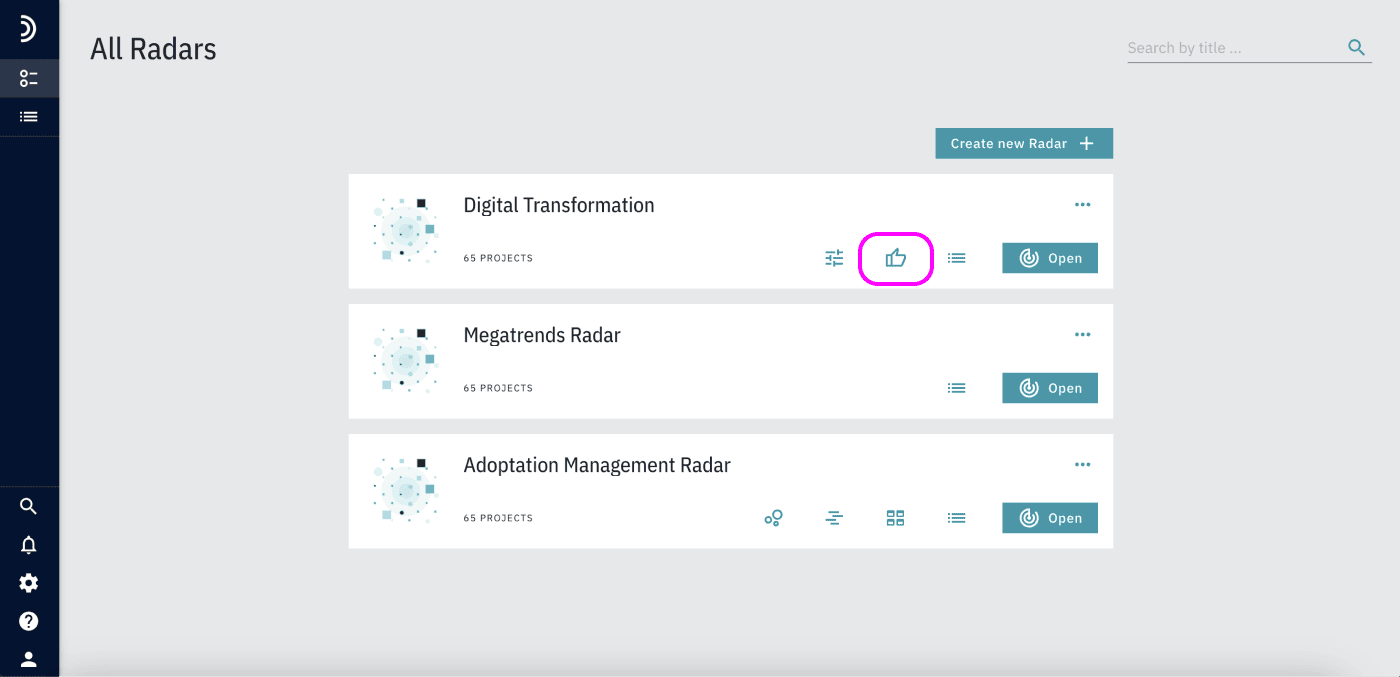
3. Read the preface and click “Start Estimation.”
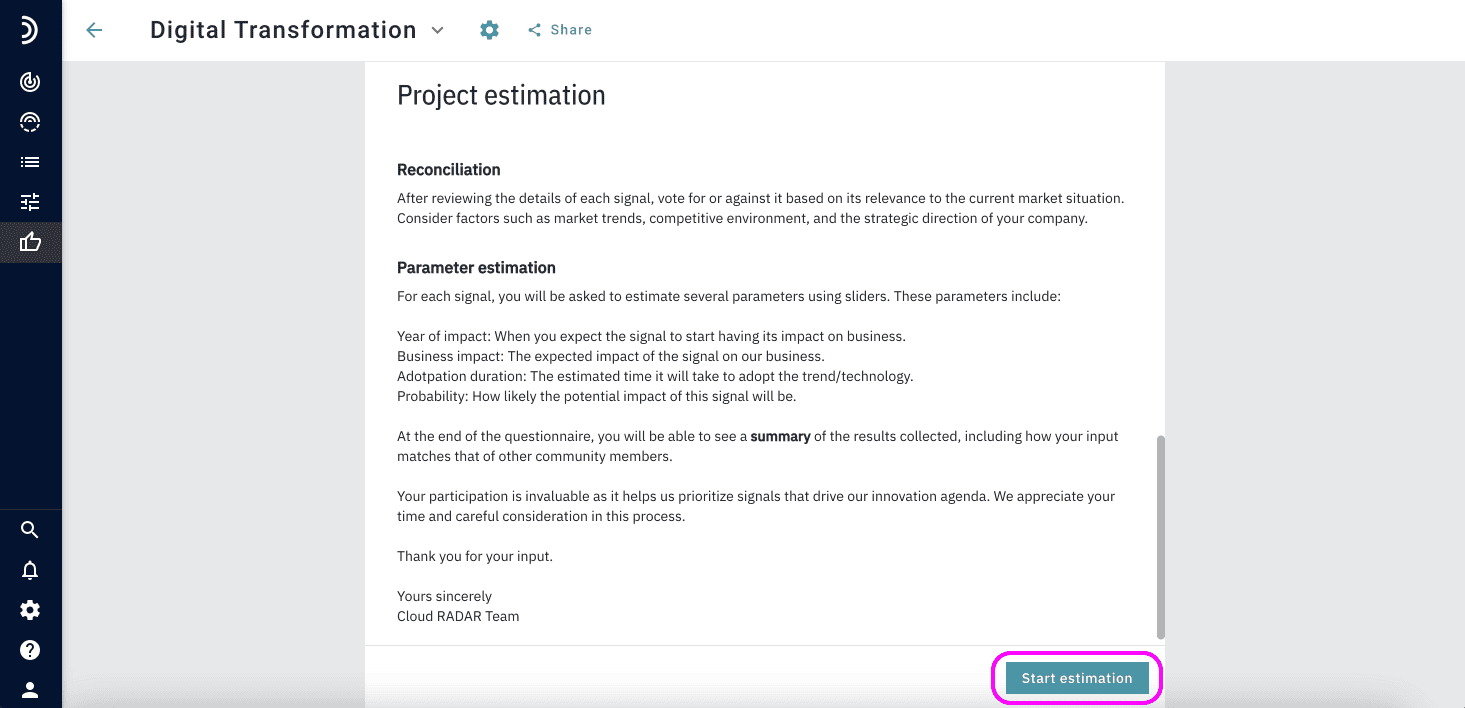
4. Browse the list of projects and select those that interest you. Detailed information will appear on the right.
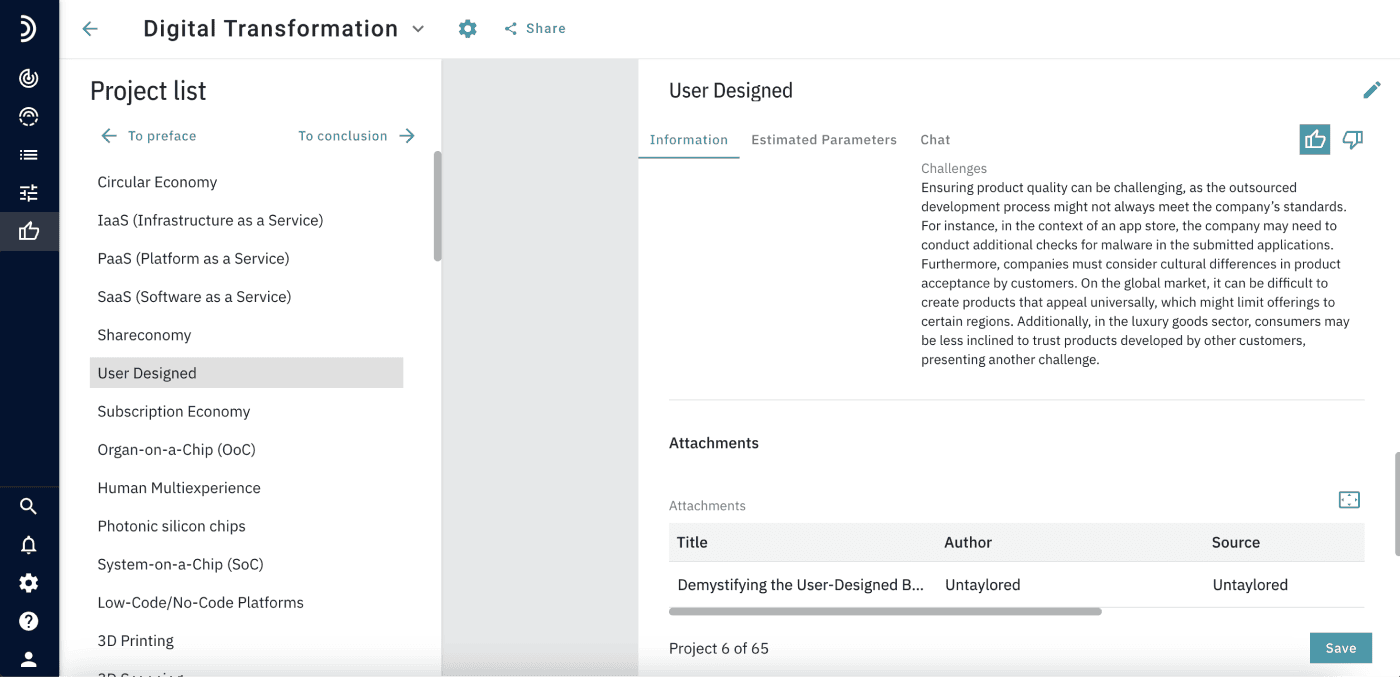
5. Read the project details.

6. Vote for or against the projects.
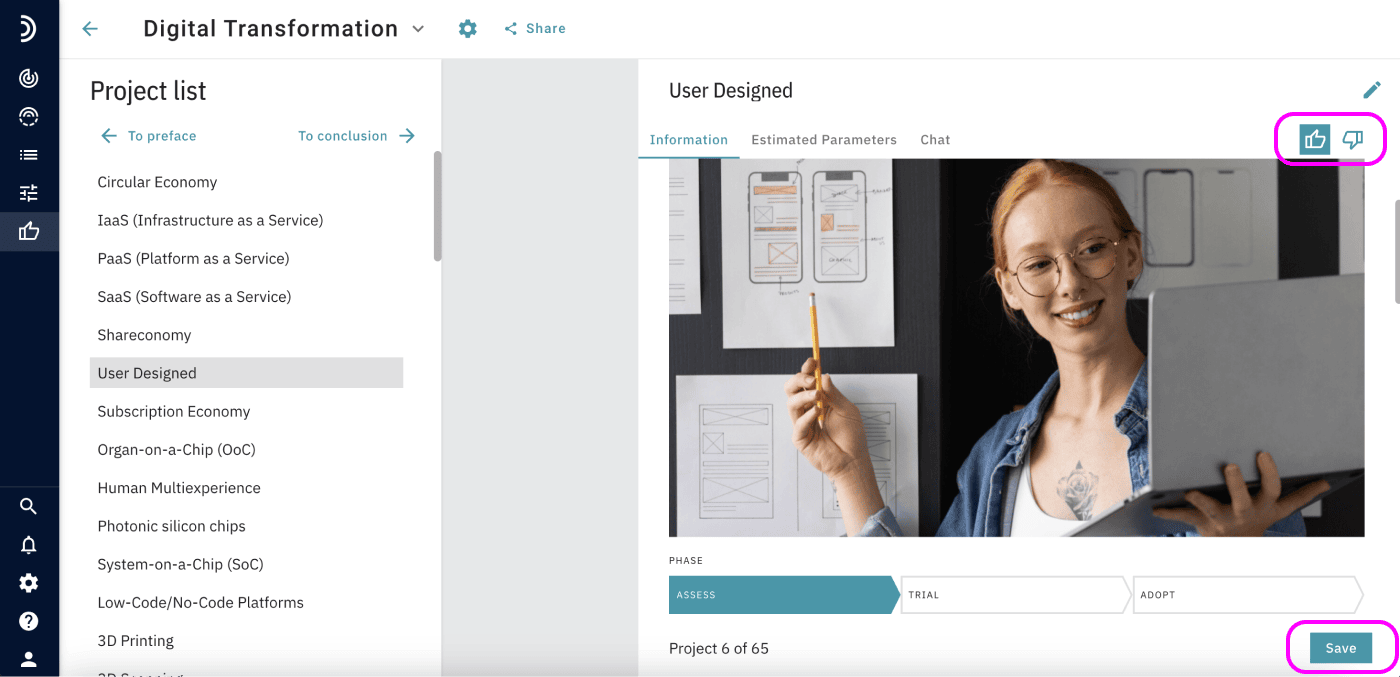
7. Estimate project parameters using sliders.
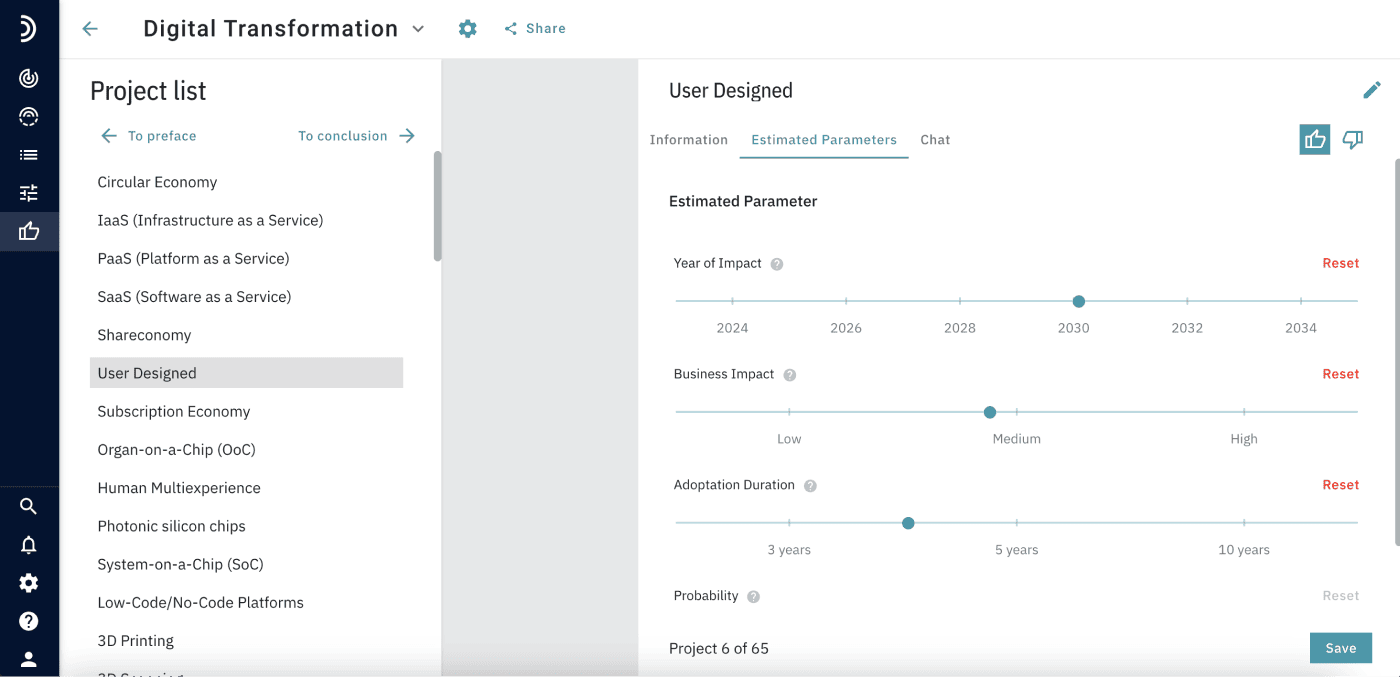
8. Once you’ve reviewed all projects of interest, click “To Conclusion” at the top.
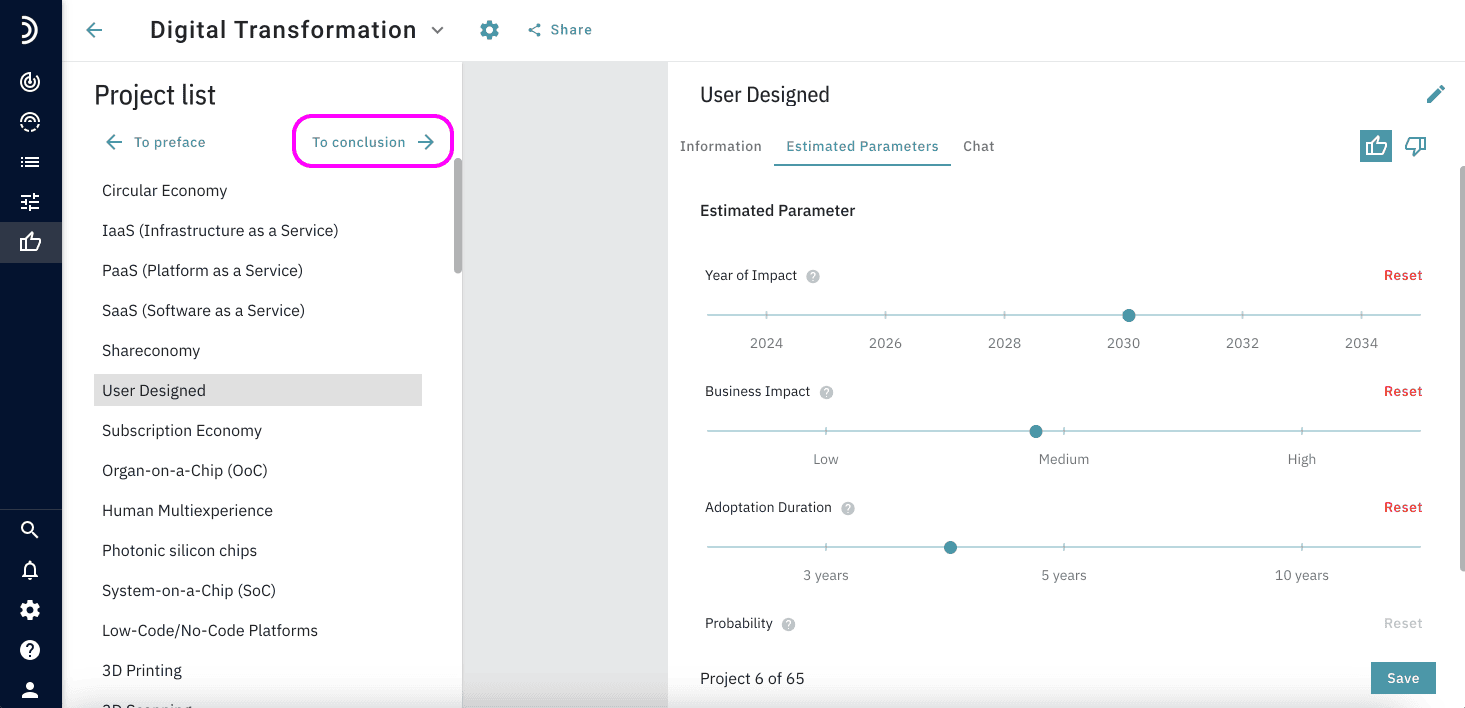
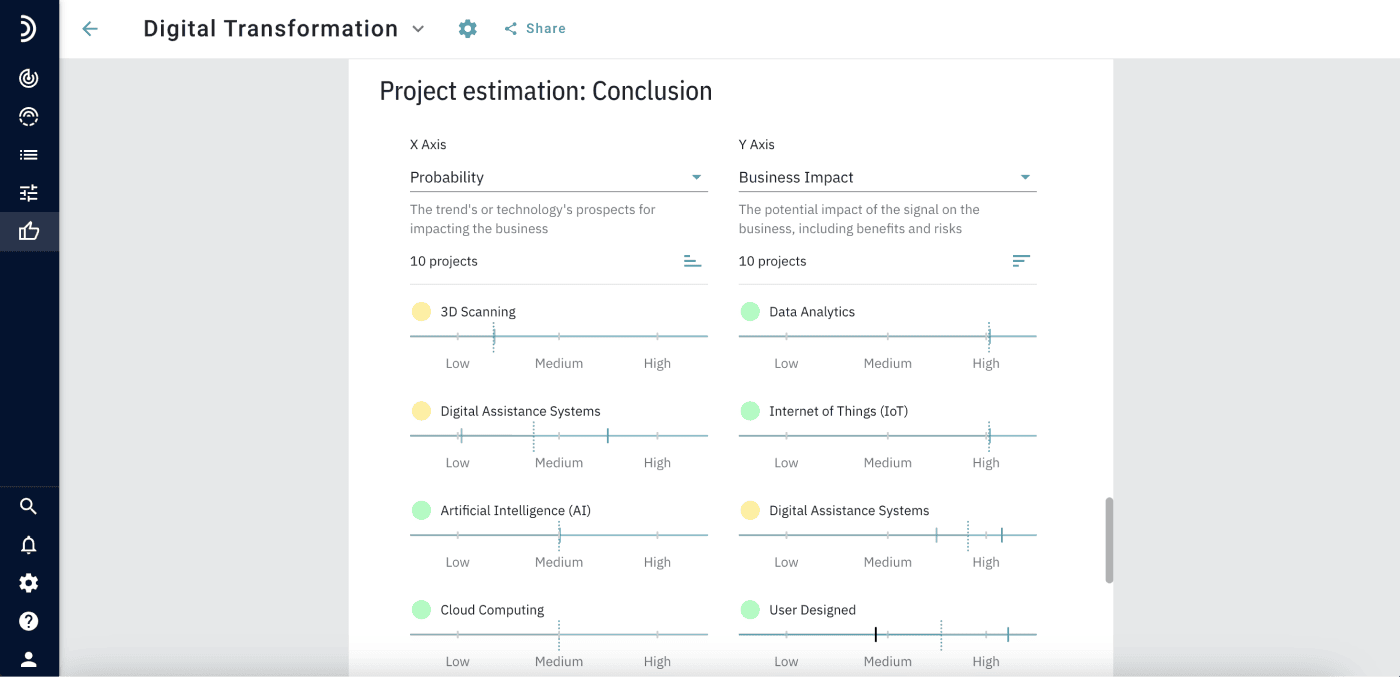
9. In the Conclusion, you’ll find:

– A brief analysis of the collected data.

– A rating of the most popular projects.
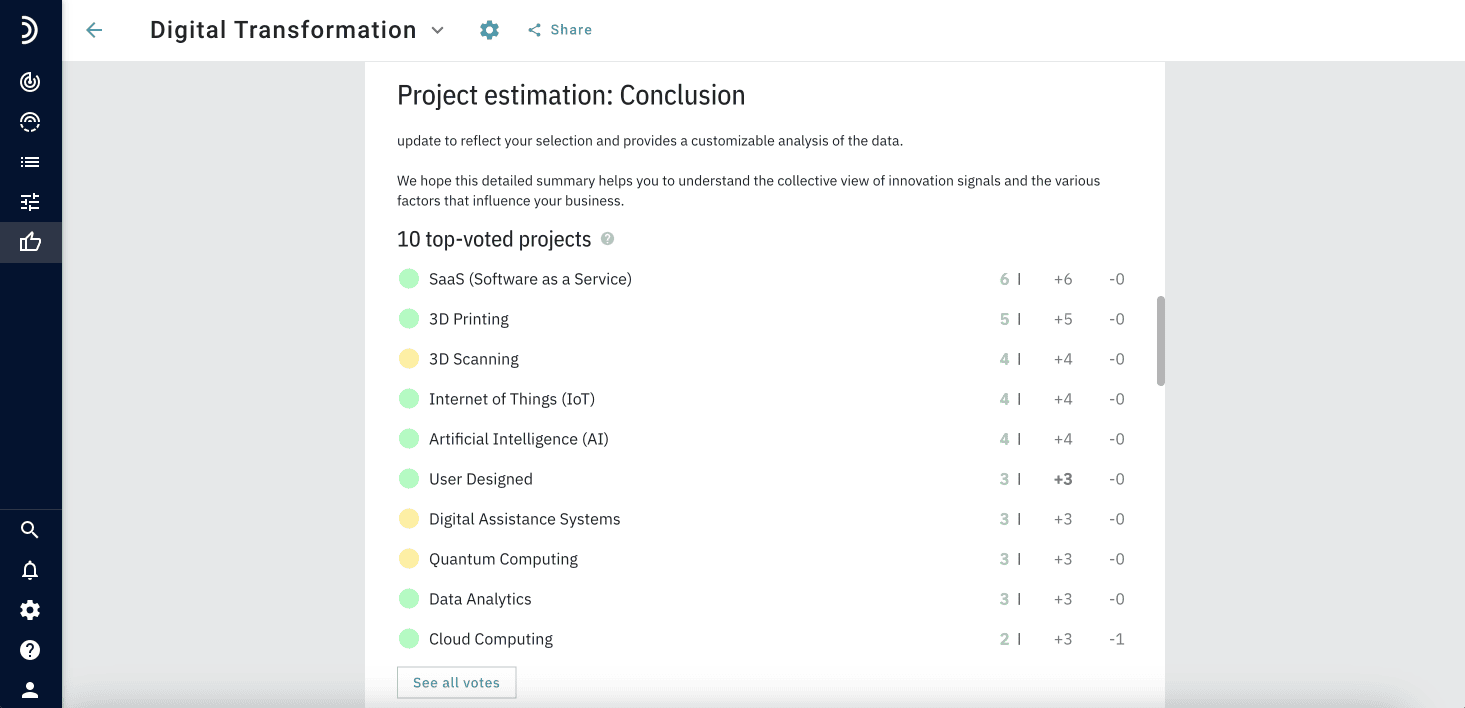
– A portfolio chart based on estimated project parameters.
– Information on the distribution of estimates across the community.
How to share the common registration link?
Projects Radar logo
  • Follow
  • Follow
  • Follow
  • Follow
  • Follow

PRODUCT

Status Reporting

KPI Radar

Strategic Foresight

Pricing

COMPANY

About us

Career

Contact us

RESOURCES

Blog

Product release

White paper

Help center

©2025. All Rights Reserved GET Information Technology GmbH | Rudolf-Diesel-Strasse 14, 41516 Grevenbroich, Germany

Terms of service      Privacy policy       Legal notice